For parents living with memory loss, Alzheimer's, Parkinson's, tremors, low vision, or macular degeneration.
A phone Mom or Dad can finally use.
Memory loss? Low vision? Unsteady hands? We built layouts for each.
AidFone turns a recent Android into a simple phone — that you set up for your parent, and manage from your own phone, wherever you are.
For them, it’s just a phone. For you, it’s peace of mind.
AidFone opens in Canada soon.
Leave your email and we'll tell you the day it's ready. Nothing else.
Sent by AidFone Inc., 3455, rue William-Tremblay, H1X 3J4, Montreal, Canada — [email protected]
One app. Many layouts.
You adapt the phone to their abilities.
You're worried because mom or dad needs help. AidFone has layouts for memory, physical and visual needs — choose the right one, change it anytime.
Will my parent use it?
AidFone was built specifically for them. Nothing to swipe. No tiny buttons. No cluttered screens. When the anxiety goes, the refusal usually goes with it.
- YOU configure, not your parent.
We guide you through every step.
- Almost nothing for them to learn.
Tap a face, tap a button — that’s it. Settings stay locked; you manage them from your dashboard.
What AidFone does
What it does — at a glance.
Communication
- They call from a dial pad or from large buttons
- Or they tap "ASK" and tell their voice assistant what they want
Protection
- 911 button — press and hold (on certain layouts)
- Last-known location — when you turn it on
- Suspicious calls screened before the phone rings
- Low battery alert comes to you — not them
Daily Support
- Medication reminders you set and update remotely from your dashboard
How it works
Your 3 steps to get connected.
We guide you the whole way.
Built to evolve
AidFone grows with your parent
AidFone keeps evolving. Updates are included in your plan.
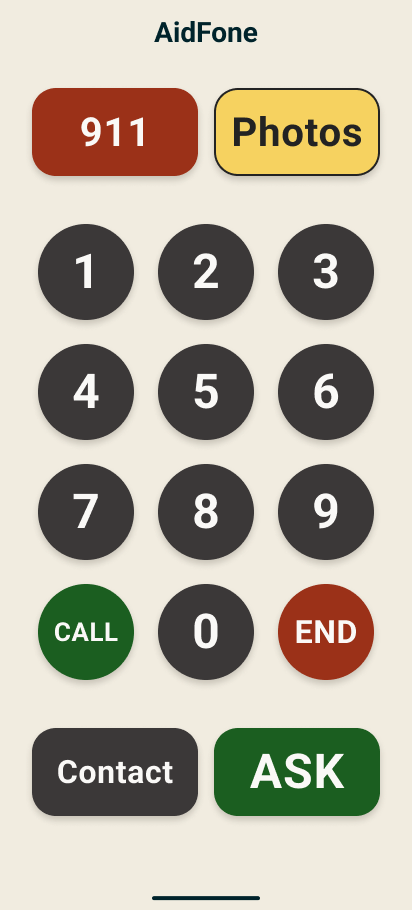
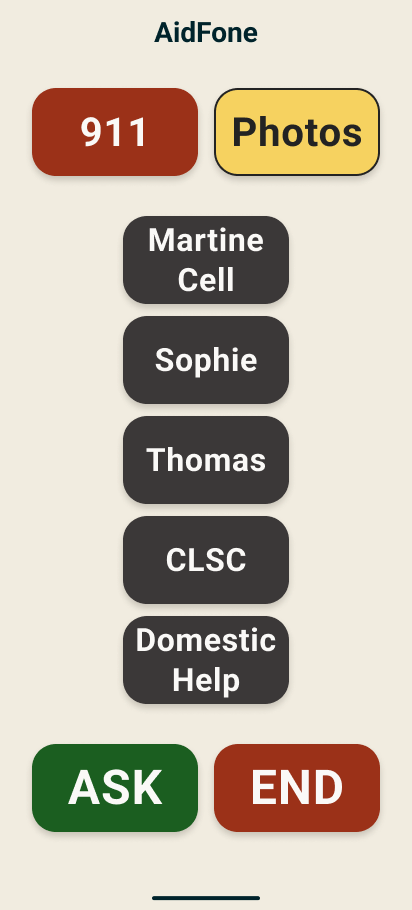
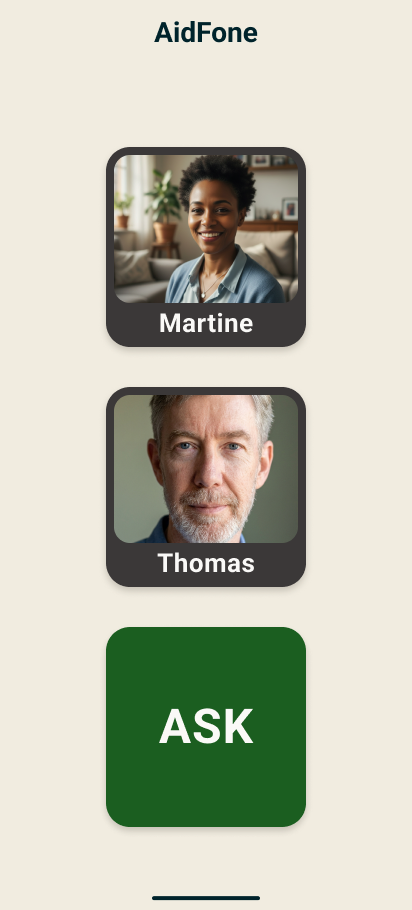
AidFone is designed to walk with your loved one stage after stage.
Designed by a caregiver.
"I have 10 years of experience in geriatric care — from home care and assisted living to long-term care and memory care units. I thought I'd seen it all."
"Then my 93-year-old mother — who still drives and manages her own banking — found herself unable to use a smartphone. I tried various options, but nothing worked. So I built AidFone."
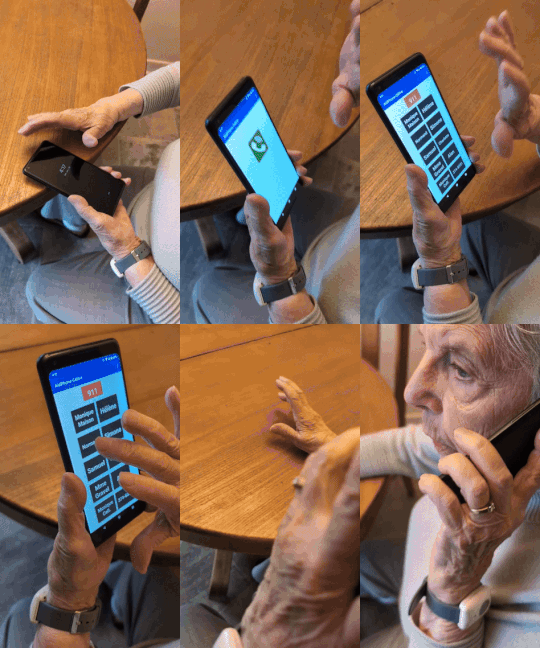
Céline, 93 — the reason AidFone exists.
Frequently asked questions
What is AidFone?
AidFone is an app that turns a recent Android phone into an ultra-simple phone for seniors, with safety-assist features designed to support caregivers. You set it up for your parent, then manage everything remotely from your own phone.
Will my parent really use AidFone?
“Resistance to change means the senior doesn’t want new ‘gadgets’ in their daily routine. Even after two years of trying, I still haven’t convinced my mother to use a simple pill organizer. Yet she adopted AidFone immediately, because she had already used a cell phone and a cordless phone at home. And her AidFone is easier to use than her old landline.” (Normand, CEO)
For those who dread new technology, AidFone is built to remove what causes the anxiety: everything is simple and clean, with one fixed home screen (dial pad or large buttons), an emergency call system, and a voice assistant. And it’s free for 30 days.
How does AidFone take some of the load off my shoulders?
AidFone acts like a presence at your parent’s side: the emergency call system, scam-call blocking (optional), GPS location, and the AidFone Activity Sentinel™, which helps spot sudden changes — you receive an alert when that happens. At AidFone, we keep adding features to your parent’s phone designed to improve their safety and your peace of mind.
What is the AidFone Activity Sentinel?
The AidFone Activity Sentinel™ lives on your dashboard. Twice a day — one morning window, one evening window — it counts the calls your parent makes and compares that rhythm to their recent habits. If activity drops sharply, you receive a text: a discreet signal to check in. The goal is to spot a change in your parent’s calling habits. Note that AidFone doesn’t track incoming calls and records no numbers, no names, no call durations, and no conversations — you never see a call list. The feature is activated only with your parent’s consent and can be turned off at any time.
Is AidFone compatible with iPhones?
The app installed on your parent's phone is compatible only with Android smartphones. However, as a caregiver, you can access your AidFone dashboard from an Android phone, an iPhone, or a computer running Windows or macOS.
How can I protect an aging parent from phone scams?
By default, AidFone blocks calls from numbers that aren’t on the contact list you approved. Calls from numbers you haven’t approved — unknown callers, robocalls, fake government agents, grandparent scams — go quietly to voicemail instead of ringing your parent’s phone. AidFone doesn’t intercept or record audio. Your dashboard simply shows that a voicemail is waiting, so you can tell your parent to listen to it.
If your parent is alert and has no cognitive loss, this option may not be necessary. You can then turn it off from your dashboard. Your parent then receives their calls as usual.
What happens if my parent has a medical emergency?
There is one way to trigger an emergency call, and it keeps them in control. On layouts that include the 911 button, it works in two steps: your parent presses and holds it, then a 10-second “Calling 911” screen appears with two large buttons — CALL NOW and CANCEL. If they don’t touch anything, the phone places the 911 call on its own.
How much does AidFone cost?
$10.99 per month, plus tax, after a 30-day free trial (credit card required at signup). No activation fees. The subscription includes the app on your parent's Android phone, with updates, plus unlimited caregiver dashboard access. AidFone sells no phones — use a recent Android you already have at home, or a basic new model. Cancel anytime — no charge.
Help them keep their independence.
Give yourself the breathing room you deserve.
Start your free trial today.
Try 30 Days FreeDuring your trial, you'll receive an email 7 days before billing begins. Easy online cancellation.
AidFone opens in Canada soon.
Leave your email and we'll tell you the day it's ready. Nothing else.
Sent by AidFone Inc., 3455, rue William-Tremblay, H1X 3J4, Montreal, Canada — [email protected]